
Download Satellite Antenna Alignment – satellite antenna alignment, satellite signal optimization, satellite dish setup, satellite positioning, satellite installation tool
Overview
The Satellite Antenna Alignment app is designed to empower users to independently align their satellite antennas with precision, eliminating the need for costly professional assistance. By leveraging geographic coordinates, the app calculates optimal tilt and azimuth angles required for strong signal reception. This functionality addresses a common challenge in satellite installation—accurate positioning—especially for users in remote or rural areas where technician access is limited. The app serves as a practical utility for homeowners, hobbyists, and small-scale broadcasters who rely on consistent satellite connectivity for television, internet, or communication services.
Targeted primarily at individuals managing personal satellite systems, the app simplifies the technical aspects of antenna setup through straightforward input and real-time feedback. Its core purpose is to democratize access to satellite alignment tools, offering a free solution that supports non-commercial use. The developer, Jason K. Menard, has created a focused tool that prioritizes usability and accuracy without unnecessary complexity. While no additional background on the developer is provided, the app’s longevity—first released in 2013—suggests reliability and sustained relevance in its niche.
Real-world applications include setting up home satellite TV systems, installing amateur radio satellite dishes, or optimizing reception for weather or data satellites. In the broader app ecosystem, it fills a gap for lightweight, specialized tools that deliver high utility without demanding high system resources. The app remains a valuable asset for users seeking a low-cost, efficient alternative to professional alignment services.
Key Features & Functionality
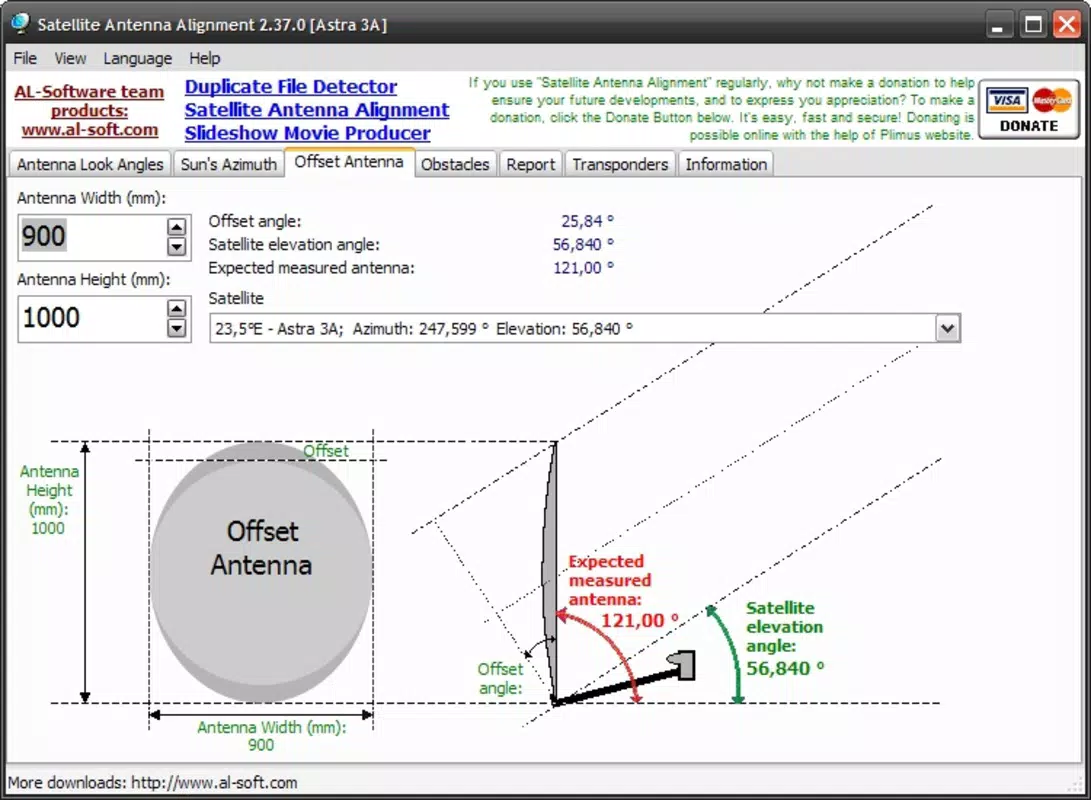
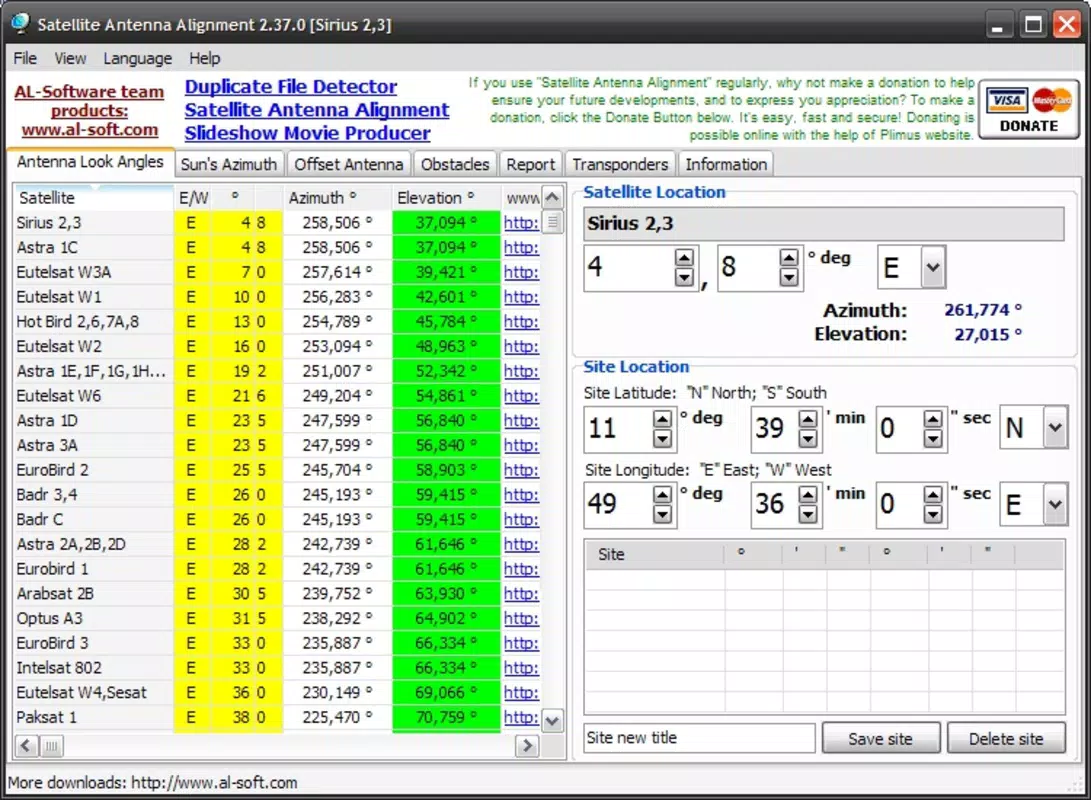
- Easy Angle Calculation: By entering the geographic coordinates of a target satellite, the app computes the precise tilt and azimuth angles needed for optimal signal capture. This eliminates guesswork and reduces installation time significantly.
- Satellite Database Storage: Users can save frequently used satellite coordinates for quick retrieval. This feature streamlines repeated setups, such as switching between multiple satellites or maintaining consistent alignment across different devices.
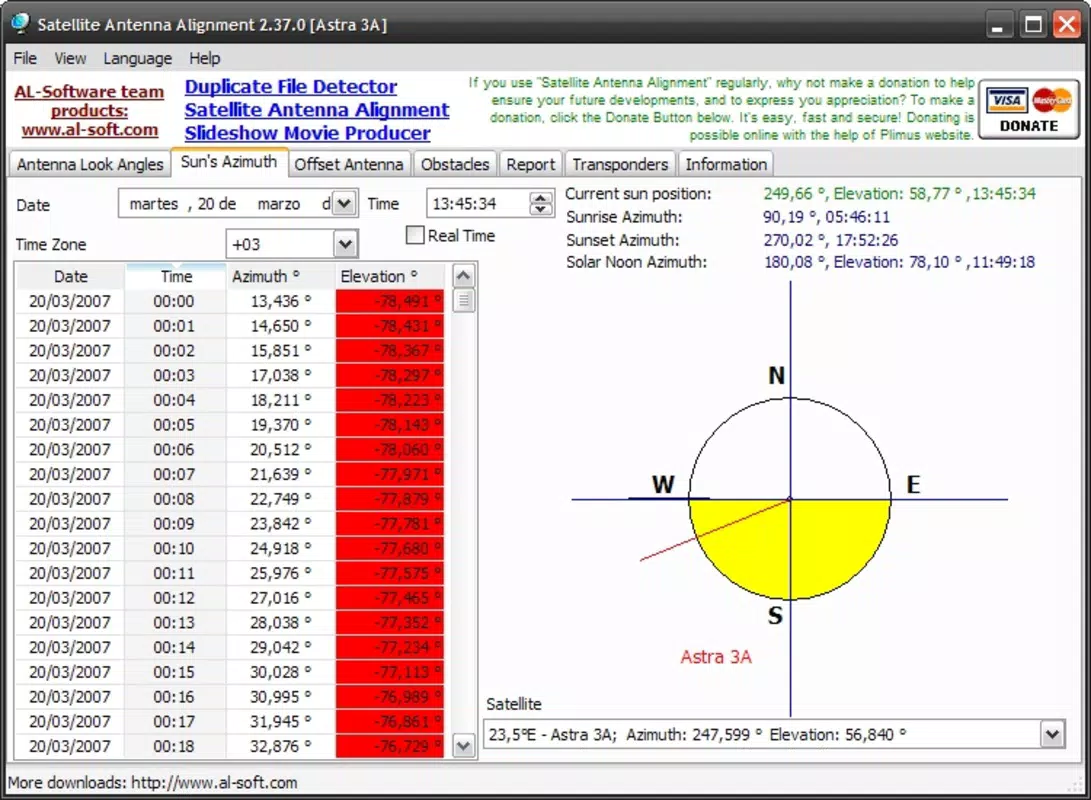
- Real-Time Satellite Status: The app provides immediate feedback on the operational status of a satellite, helping users determine if signal issues stem from satellite availability or misalignment.
- User-Friendly Interface: With a clean layout and intuitive navigation, the app ensures accessibility for users with varying levels of technical expertise. Buttons and input fields are logically arranged to minimize errors and confusion.
- Free for Non-Commercial Use: The app is available at no cost for personal and non-commercial applications, making it highly accessible to individuals seeking a reliable alignment solution without subscription fees.
For example, a user in a remote area setting up a new satellite dish can input the satellite’s longitude and latitude, receive exact alignment angles, and adjust their dish accordingly. If they later need to reconfigure for a different satellite, they can retrieve the saved data from the built-in database, avoiding redundant manual entry. The real-time status feature helps diagnose whether a weak signal is due to atmospheric interference or improper positioning, enabling faster troubleshooting.
Interface, UX & Performance
The app features a minimalist interface with clearly labeled input fields and output displays for angle values. Navigation is linear and consistent, guiding users through the alignment process step by step. Visual design elements are functional rather than decorative, emphasizing clarity and readability. The layout remains stable across different screen sizes, suggesting compatibility with a range of Android devices.
Although the developer did not list formal performance metrics, the app’s small file size of 1.2 MB indicates efficient code structure and low resource consumption. This suggests smooth operation even on older or entry-level Android devices. Responsiveness appears to be strong, with minimal lag between input and output. The app does not require internet access for core functionality, ensuring usability in offline environments.
Stability is implied by the app’s long-standing presence in the market since 2013. While no crash reports or user feedback data were provided, the lack of complex dependencies and the focused feature set contribute to a reliable user experience. The absence of advertisements or in-app purchases further supports a clean and uninterrupted interface.
Platform Compatibility & Technical Requirements
Designed exclusively for Android, the app is compatible with devices running the specified operating system. The software version is listed as 1.0, indicating a stable, mature release. The file size is 1.2 MB, which is minimal and suitable for devices with limited storage space.
The developer did not specify minimum OS requirements or device compatibility details. As such, users should exercise caution when installing on older Android versions. Compatibility information was not fully disclosed, so installation on unsupported devices may result in unexpected behavior. The app is available for free, with no additional costs or subscription models.
Pros and Cons
- Lightweight and fast, ideal for low-end Android devices
- Free for non-commercial use, no hidden costs
- Accurate angle calculations based on geographic coordinates
- Efficient database for saving frequently used satellite positions
- Works offline, no internet required for core functionality
- No official support for iOS or other platforms
- Minimum OS requirements not specified
- Limited visual feedback or graphical satellite maps
- Outdated interface design may feel basic to modern users
- Developer has not updated the app since 2013
FAQ
Is Satellite Antenna Alignment available for iOS devices?
The app is currently only available for Android. No iOS version has been released or announced.
Do I need an internet connection to use the app?
No, the app functions entirely offline. All calculations are performed locally on the device.
Can I use this app for commercial satellite installations?
The app is free for non-commercial use. Commercial use may require permission from the developer, though this was not specified.
How accurate are the alignment calculations?
Accuracy depends on the precision of the input coordinates. The app uses standard geospatial formulas to compute angles, ensuring reliable results when correct data is entered.
Is the app safe to download and install?
Yes, the app is free and does not contain malware or intrusive permissions. It is designed as a utility tool with minimal system access.
Final Thoughts
Satellite Antenna Alignment remains a dependable tool for individuals seeking to set up or reposition satellite dishes without professional help. Its simplicity, accuracy, and offline functionality make it a standout in the productivity category. While the interface may appear dated and the app has not been updated in over a decade, its core functionality remains effective and relevant. For users in rural areas or those managing personal satellite systems, this app delivers real value at no cost.
Despite its age, the app’s lightweight design and focused purpose ensure it continues to serve its intended audience well. It’s especially beneficial for hobbyists, DIY installers, and anyone needing a quick, reliable way to optimize satellite reception. The absence of ads and subscription fees enhances its appeal as a pure utility.
Download Satellite Antenna Alignment now


